01
Bring in the design
Start with one garment image, sketch, or flat, then add the size setup and design brief your team wants to build from.
Start with one garment image, sketch, or flat. AI Tech Packs assembles flat sketches, initial measurements, materials, and construction details in minutes. Built-in Techpack Mama QC brings the details that may need attention into one review; your team edits, approves, and hands off the current pack.
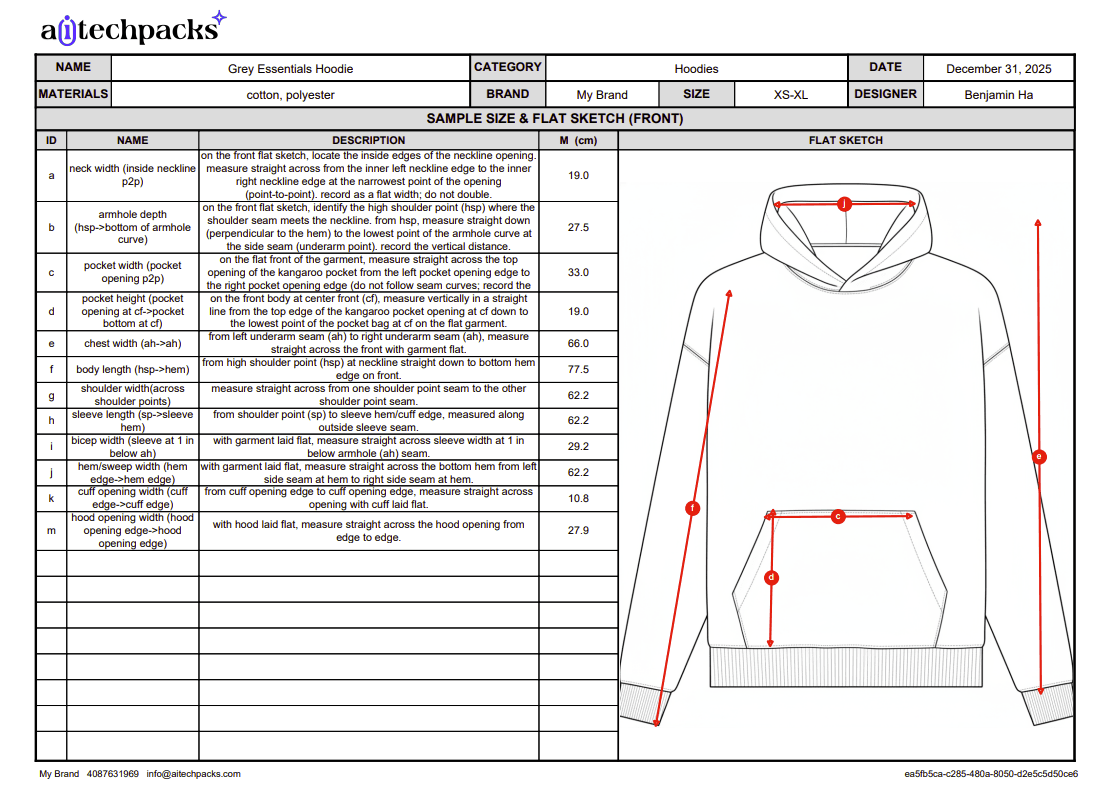
Editable first draft
Measurements, materials, flats, and construction details
Built-in Prompt QC
Requested details checked against the current pack
Controlled handoff
Apply, Save changes, then export or share
Built for real SKU volume
Use the same reviewed path for a single pack, or set shared defaults and queue up to 10 drafts in Batch Workspace. After review, keep the wider line organized in Collections.
Speed belongs at the start of the process. QC, editing, and approval stay visible so your production or technical-design team can make the final call.
Start with one garment image, sketch, or flat, then add the size setup and design brief your team wants to build from.
AI assembles flat sketches, initial measurements, materials, construction details, and the rest of the working pack.
When the draft has a stored generation prompt, choose Run check to compare supported requested details with the current pack.
Review the findings. If you ask Mama to prepare fixes, inspect each card, apply approved edits, then Save changes.
After team approval, export PDF or Excel when available, or share the current pack through Factory Share.
Quality control is part of the product
When a generated pack has a stored prompt, your team can run Techpack Mama Prompt QC to compare supported requested details with the current structured pack. The review surfaces findings; your quality and technical teams keep control of every edit and the final decision.
Requested details
Review the current pack against its generation prompt
What the draft includes
The first draft removes blank-page setup. Your team can inspect the underlying production details, correct assumptions, and add brand- or factory-specific information before approval.
01 / Visuals
Front and back technical views give the team a visual starting point for review.
02 / Sizing
Editable sample-size values and size structure keep the spec work inside the pack.
03 / Materials
Fabrics, trims, labels, hardware, and other components are organized for review.
04 / Make
Seams, stitches, finishes, and production notes stay connected to the style.
05 / Placement
Artwork specs and placement guidance can be checked alongside the garment visuals.
06 / Delivery
Keep the color and order information the team needs in the same editable workspace.
Reviewable by design
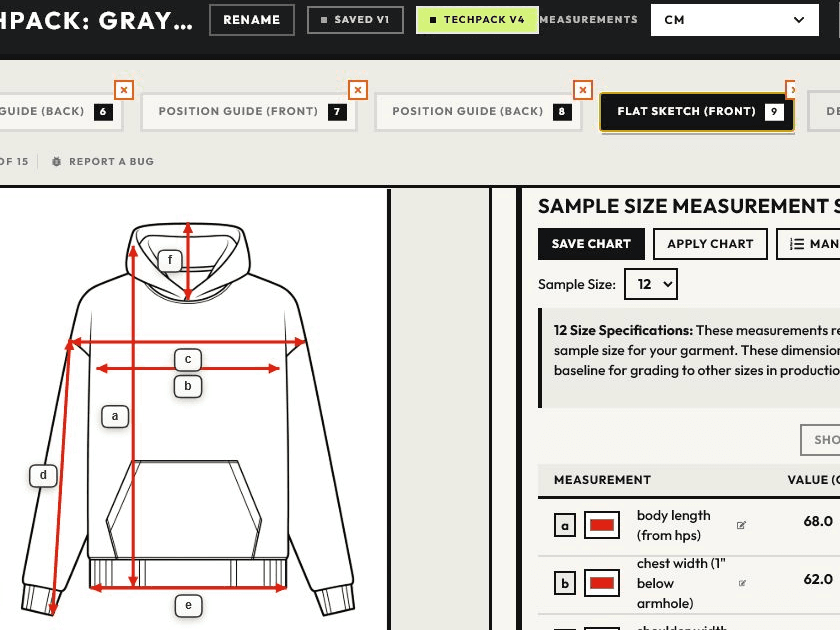
Editor
Review measurements beside the garment, update supported fields, and save the version your team approves.
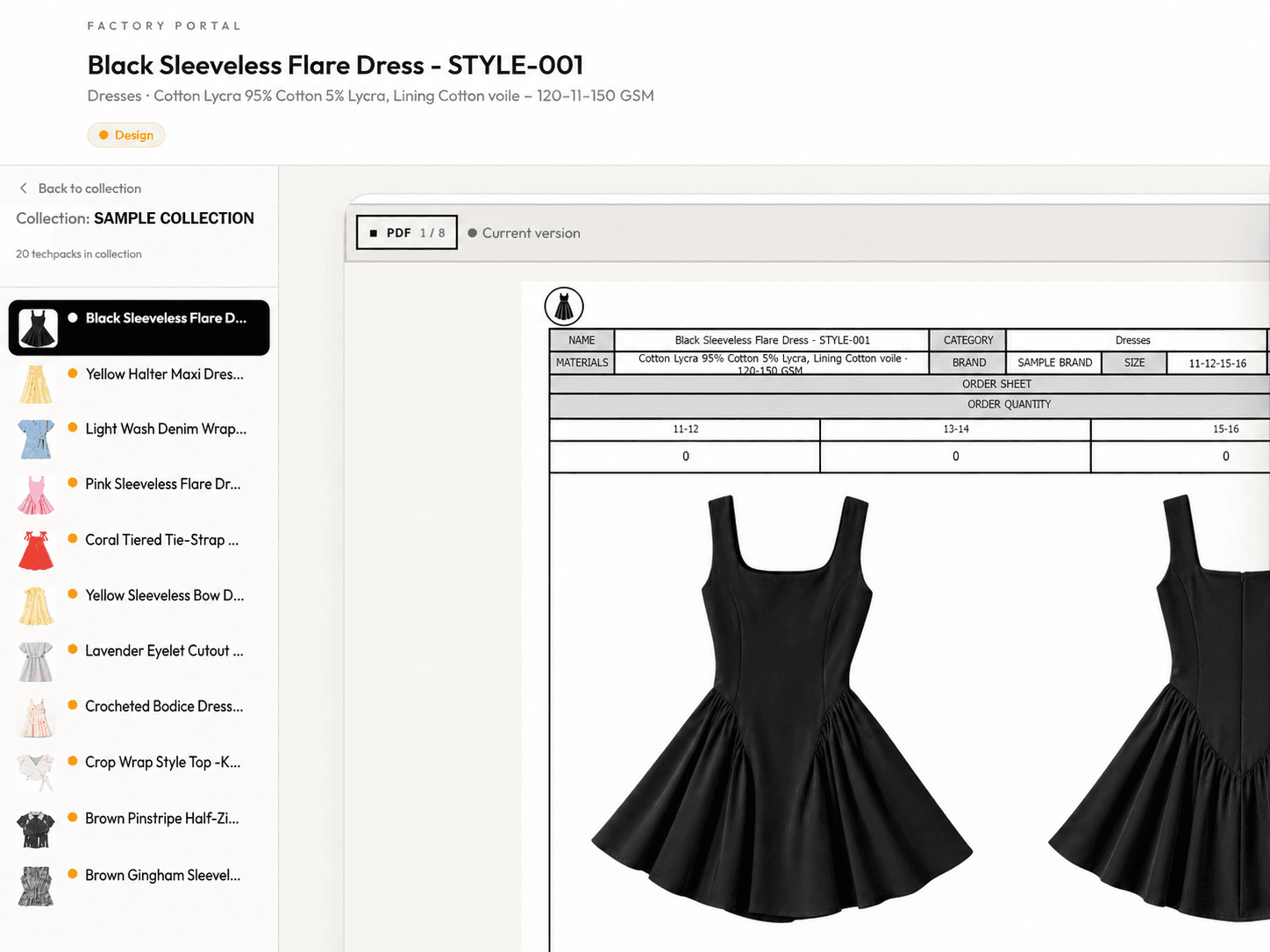
Factory Share
Share one current link for a pack or collection so the factory can review the latest version without editing it.
Production-team proof
“I am transitioning my team to use AI Tech Packs full time. It is an official part of our workflow.”
Loho
Founder, Loho Kur
From the Changelog
Recent generation improvements focus on stronger editable drafts and a smoother review path—not skipping technical approval.
Cleaner BOM output for generated packs
Recent output work improved BOM cleanup and downstream readiness after the first draft is generated.
See update
BOM and artwork backend refactor
Recent backend changes strengthened how generated pack details move into editing and production workflows.
See update
Generator workflow foundations
The changelog documents the original generator release and the workflow foundations behind the current AI tech pack flow.
See update
Questions before the first run
Start with the next style
Keep AI speed at the beginning and production judgment where it belongs—with your team.